
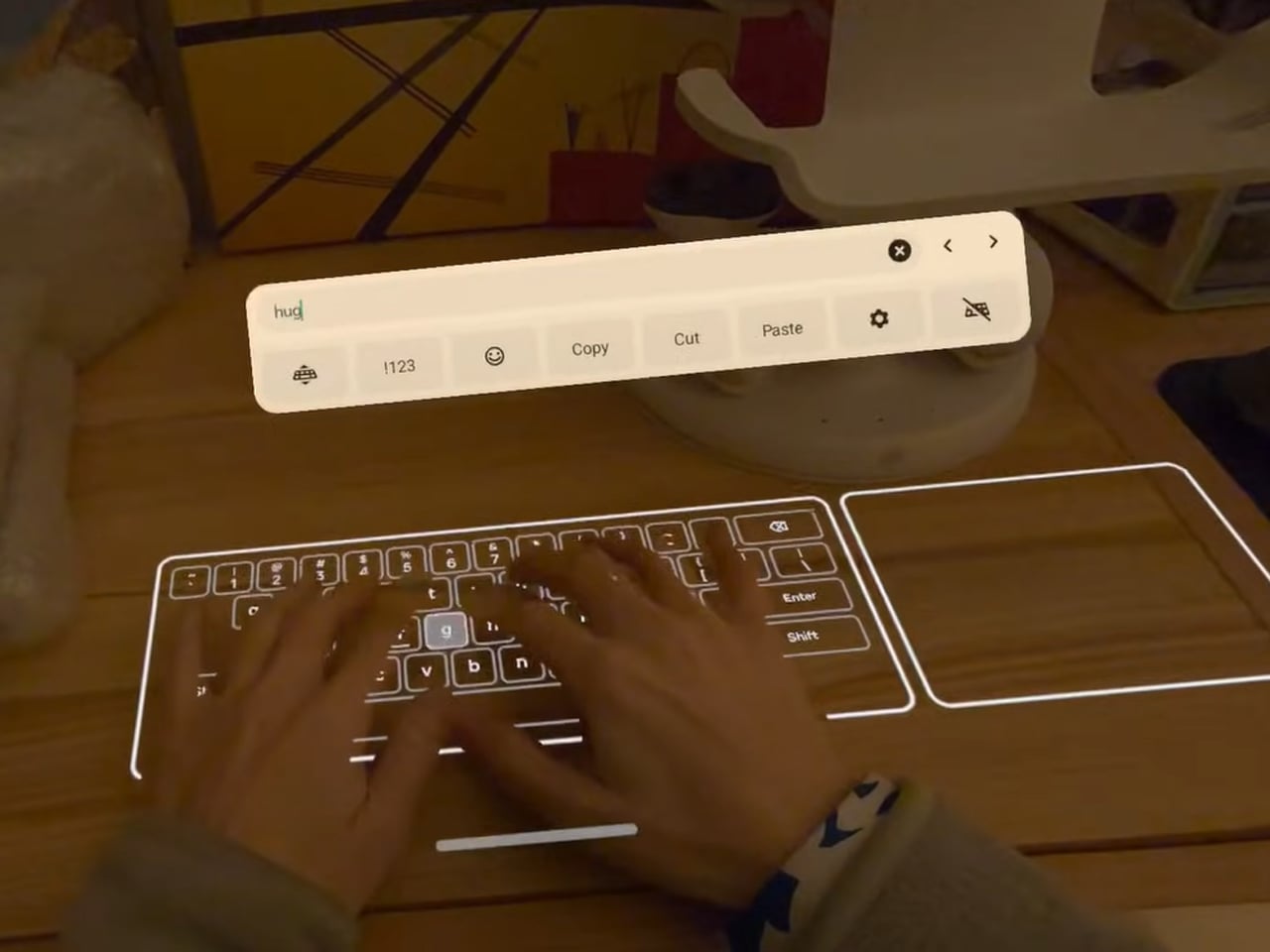
Meta may have discontinued the Quest for Business program intended for its Quest 3, but the Horizon OS v85 is planning on introducing some niche features to the VR headset, which, of course, will start with the replacement of Horizon Feed with the Navigator UI as the default. In addition to that, if the new Horizon OS v85 Public Test Channel (PTC) is considered, the Meta headset will be able to turn any flat surface – a table or a desk – into a virtual keyboard you can type on like a physical keyboard.
The PTC for Quest OS v85 has started rolling out and initial YouTube hands-on reviews and forum discussions reveal it’s available as an experimental feature exclusively on Quest 3. The Quest 3S may have been left out of the virtual keyboard (the reason is not apparent at the time of writing), which appears like magic on a table and turns it into a keyboard complete with a trackpad.
Designer: Meta
The feature is called Surface Keyboard and it adds a keyboard on top of any surface you want. With the tap on the handheld controllers, you can switch back from the virtual keyboard to controllers and back seamlessly. If mixed reality and hand tracking have always excited you, with v85 of its operating system, the Quest 3 is going to take that experience to a new level.
To be able to truly live this fiction, where you place your hands on a table for a couple of seconds and a keyboard appears out of nowhere (where your hands were), and you can start typing – no buttons, no configuration, just hands and the virtual keyboard to type on. You will be required to opt in to the PTC of the Horizon OS, and receive the pre-release version to toil with.
If we remember correctly, Meta has been working on creating a virtual keyboard of this kind for a better part of the decade. In fact, it was in 2023 that Mark Zuckerberg demoed it and claimed he could reach 100 words per minute. Going by the videos and reviews floating online, the keyboard will take some getting used to. That said, the setup is easy and straightforward.
When you have opted in for the PTC, you can go to Movement Tracking and enable hand movement and body and double-tap controllers for hand tracking (to be able to switch between controller and keyboard). Now, to the Experimental and Unstable Surface Keyboard under the head. Once that’s done, go to devices, click keyboard, and setup and you’re set. Place your hands flat on a surface, and in seconds, a keyboard will appear where your hands are.
The post Meta Quest 3 feature turns any flat surface into functional Surface Keyboard with trackpad first appeared on Yanko Design.