A detailed guide breaking down web design and development, from basics to design strategy and launch. Understand how to get a business website that supports lasting growth and scalability. Find real examples.
A strong website combines visual design with business goals to build a recognizable brand. Design focuses on branding, UX, layouts, and conversion-focused elements, and development turns it into fast, secure, scalable websites that work across devices and can grow with your business. For a seamless website, you can start a web design contest to get multiple concepts from professional designers or work with a dedicated designer (1-to-1 project) for a more personalized design. You can also find CMS, Shopify, and expert development support to manage your online presence smoothly. Get business sites, portfolios, blogs, and more, including responsive design and UI/UX optimization.
How Web Design Fits Into Overall Business Strategy
Core element of the business strategy as it:
Aligns the website with overall business goals and brand positioning
Builds brand credibility through consistent visuals and messaging
Improves user experience, making it easier for visitors to navigate and engage
Drives conversions such as sign-ups, purchases, contests, or 1:1 inquiries
Supports marketing efforts, including SEO, content, and paid campaigns
Enhances trust with fast load times, mobile responsiveness, and accessibility
Scales with business growth, new offerings, and changing customer needs
Website vs Brand vs Product Experience
Your website is where most users decide if they want to engage. The product experience determines satisfaction after the purchase or sign-up. Brand identity shapes tone, personality, and credibility.
Aspect
Website Experience
Brand Experience
Product Experience
What it is
How users interact with your website
How people perceive your brand overall
How users interact with your product or service
Primary focus
Layout, navigation, content, and usability
Identity, messaging, values, and emotions
Functionality, performance, and usability
Key touchpoints
Pages, forms, CTAs, speed, mobile experience
Visuals, tone of voice, reputation, trust
Features, onboarding, support, reliability
User goal
Find information and take action
Understand and trust the brand
Solve a problem or achieve a result
Business impact
Drives traffic, engagement, and conversions
Builds recognition, loyalty, and credibility
Drives satisfaction, retention, and advocacy
How it connects
Introduces the brand and sets expectations
Shapes perception before and after use
Delivers on the brand promise
Web Design vs Web Development
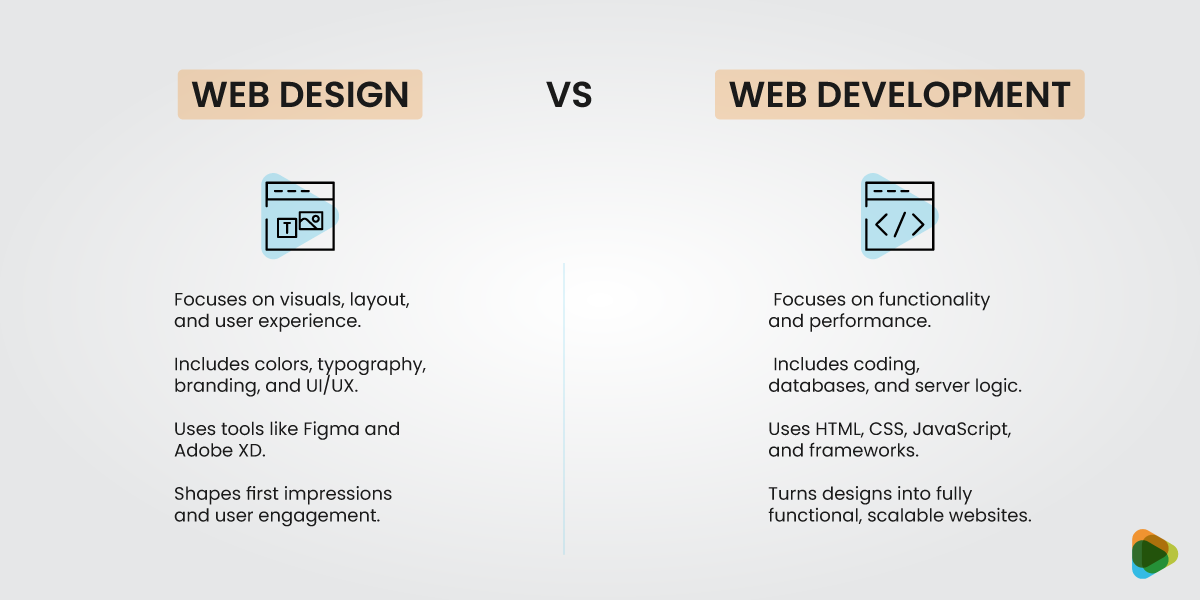
Web design focuses on user journeys, layout structure, visual hierarchy, and interaction patterns. Web development brings design concepts to life through code.
Web Design
Web Development
Focuses on visuals, layout, and overall user experience
Focuses on functionality, performance, and technical reliability
Creates intuitive, appealing, and brand-aligned interfaces
Turns designs into fully functional websites
Key elements include colors, typography, branding, and UI/UX flows
Key elements include code, databases, CMS, server logic, and APIs
Tools: Figma, Adobe XD, Photoshop, prototyping
Tools: HTML, CSS, JavaScript, PHP, frameworks, deployment
Shapes first impressions, navigation, and user engagement
Ensures smooth interactions, speed, and accessibility
Drives brand recognition, engagement, and conversions
Supports scalability, reliability, and long-term growth
Provides the visual vision and user-focused strategy
Implements the vision and maintains website functionality
What Makes a High-Performing Website
Clarity of business goals or objectives
Strong branding and visual design to support user decisions
Intuitive navigation, allowing users to find information quickly
Accessibility and clear communication
Scalable architecture to support growth and new features
Analytics and performance tracking for continuous improvement
Clear Business Goals
Every high-performing website starts with clarity around why it exists. Is the site meant to generate leads, drive direct sales, establish authority, or keep users engaged over time?
Aligns Design Decisions with Outcomes
Layout, typography, imagery, and interaction patterns should all support the desired user action. Visual hierarchy guides attention to what matters most. White space reduces overwhelm.
User-Centered
High-performing websites are designed for users. It means anticipating questions before they are asked and removing friction before it becomes frustration.
Accessibility, Usability, and Clarity
Clear typography for good UX, strong contrast, logical navigation, and predictable interactions improve the navigation experience for everyone.
Types of Websites
Informational / Brochure Websites – Small businesses, portfolios, local services
Corporate & Enterprise Websites – Brand storytelling, trust, scalability
E-Commerce Websites – Conversion-focused UX, checkout flows
SaaS & Product Websites – Feature communication, onboarding, demos
Landing Pages & Campaign Sites – Short-term goals, ads, funnels
Content-Driven Websites (Blogs, Media, Communities) – Inform, engage, and build audiences
Informational / Brochure Websites
These are designed to clearly communicate who a business is, what it offers, and how to take the next step. Common for small businesses, local providers, consultants, and personal brands.
Corporate and Enterprise Websites
Such websites are strategic brand platforms rather than marketing pages. It is important to support diverse audiences such as customers, investors, partners, regulators and talent.
E-Commerce Websites
They are designed to turn intent into transactions. Product discovery, filtering, comparison, trust signals, checkout flow, and post-purchase experience must work seamlessly across devices..
SaaS and Product Websites
The websites have to showcase software, apps, or digital products. Interactive elements in SaaS web design like demos, onboarding previews, and explainer visuals are key.
Landing Pages and Campaign Sites
Such platforms are built for singular goals such as capturing leads, supporting ads, validating ideas, or launching offers. Landing pages work well with good design and effective copy.
Content-Driven Websites (Blogs, Media, Communities)
They are designed to inform, engage, and build audiences through regularly updated content. Think blogs or resource hubs that focus on delivering value to visitors.
Type of Website
Purpose / Focus
Key Features / Use Cases
Informational / Brochure
Share basic information about a business or service
Small businesses, portfolios, local services, static pages, contact info
Corporate & Enterprise
Build brand trust and showcase company story
Brand storytelling, credibility, scalability, multi-page structures
E-Commerce
Sell products online and drive conversions
Product listings, shopping carts, checkout flows, payment integration
SaaS/ Product-based
Showcase software or digital products and drive sign-ups
Feature communication, onboarding, demos, free trials, subscriptions
Landing Pages/ Campaign Sites
Support short-term marketing campaigns
Ads, funnels, single-purpose pages, lead generation
Content-Driven (Blogs, Media, Communities)
Inform, engage, and build audiences
Articles, videos, podcasts, community forums, resource hubs
Core Principles of Effective Web Design
Simplicity – Reducing cognitive load for users
Clear Navigation & Hierarchy – Helping users find information easily
Usability or UX – Intuitive flows and predictable interactions
Responsiveness & Mobile-First Design – Designing for multiple screen sizes, with mobile as the primary use case
Performance and Speed – Fast load times improve SEO, user experience, and conversions
Visual Consistency – Using layout systems, grids, and proper spacing for a cohesive look
Simplicity
This is about making decisions easier for users. Every page competes for attention, and the human brain has limited capacity to process information at once.
Clear Navigation and Hierarchy
Clear hierarchy uses visual cues like:
Headings
Spacing
Contrast
Layout
Usability/UX
This is the measure of how easily users can accomplish tasks.
Forms explain what is required
Buttons look clickable
Errors are informative rather than frustrating.
Predictable Interactions
Users bring expectations shaped by years of interacting with digital products. Links look like links and scrolling reveals content in familiar ways.
Responsiveness and Mobile-First Design
Modern websites must perform across a wide range of devices, from large desktop monitors to small mobile screens. Responsive design adapts to different resolutions seamlessly.
Mobile as the Primary Use Case
Mobile-first design treats mobile as the starting point. Since mobile traffic dominates most industries, designing for mobile first improves the experience everywhere.
Performance and Speed
Optimized performance includes lightweight layouts, optimized assets and efficient interactions to make sure the site feels fast and responsive.
Visual Consistency
When layouts, spacing, and alignment follow a system, the website feels intentional and credible. Consistent spacing and repeated patterns help users navigate confidently.
Step-by-Step Web Design and Development Process
A professional web design and development process covers discovery, strategy, design, development, and testing. You’ll start by defining business goals, researching the audience, and analyzing competitors.
Next, structure your site with sitemaps and user flows, then create wireframes to prioritize content and plan intuitive navigation. Visual design integrates branding, layouts, and interactive elements, followed by development that builds frontend and backend functionality and sets up your CMS.
Finally, test across devices and browsers for responsiveness, performance, and accessibility. You can choose a contest (multiple design options) or 1-to-1 (focused collaboration), and add ongoing maintenance or content support for long-term growth.
Step 1: Discovery and Strategy
Clarify Core business goals (leads, sales, authority, engagement)
Target audience behaviors, needs, and pain points
Find competitive landscape and positioning opportunities
ZillionDesigns begins with guided discovery inputs and strategic briefs, helping businesses clarify goals clearly so designers and developers work toward outcomes.
Step 2: Information Architecture (IA)
Create a logical sitemap that reflects user intent
Define navigation hierarchy and page relationships
Map user flows from entry points to key actions
Information architecture determines how content is organized and how users move through the site.
Step 3: Wireframing/ UX Design
UX design during wireframing prioritizes:
Content prioritization and clarity
Reduced cognitive load
Intuitive task completion
This phase answers questions like, what does the user see first? What action do we want them to take next? What information supports that decision?
Step 4: Visual Design (UI)
Establish a clear visual hierarchy to guide user attention
Maintain consistency across pages and components
Enhance accessibility through contrast, spacing, and legibility
Integrate branding elements for higher trust and professionalism
Brand elements such as color, typography, imagery, and spacing combine to create a cohesive interface that communicates trust and professionalism.
Step 5: Development and CMS Integration
Frontend development across devices
Focus on backend logic and integrations
Set up CMS for content management
A well-built CMS empowers teams to update content independently. Frontend focuses on visual accuracy and responsiveness, while backend development handles functionality and security.
Step 6: Testing Across Devices and Browsers
Focus on responsive behavior across screen sizes
Check browser compatibility and load performance
Accessibility and interaction validation
Before launch, the website is tested in real-world conditions for higher reliability. This protects brand credibility and prevents conversion loss due to technical or usability issues.
Step 7: Launch, Optimization and Ongoing Support
Launch the website and make sure everything works
Monitor performance, speed, and uptime
Track SEO, traffic, and user behavior
Update content and improve user experience.
Maintain security and apply regular backups.
Launch marks the transition from internal approval to real user behavior. Post-launch optimization focuses on performance data like how users navigate and what converts.
Web Design and Development Options
Web design and development options range from fully automated tools to deeply strategic agency engagements.
1. Web Design Contests
Web design contests invite multiple designers to submit homepage or concept designs based on a brief. This approach prioritizes a variety of ideas over deep collaboration.
With ZillionDesigns, the process includes clearer briefs, guided feedback, and the option to transition the winning designs into full development support.
2. 1:1 Freelance Web Designers
Working with a freelance web designer allows for customized solutions and direct collaboration. Freelancers can adapt designs closely to business needs and offer flexibility in communication and timelines.
Typical pricing ranges from $1,000–$10,000+, depending on experience and complexity.
3. Design and Development Agencies
Agencies provide end-to-end services including strategy, UX, UI, development, performance optimization, and ongoing support.
Projects require longer timelines and higher budgets, sometimes starting at $10,000–$50,000+.
Choosing the Right Path
ZillionDesigns occupies a strategic middle ground between DIY tools and high-cost agencies. Businesses can choose:
Contest-based design for creative exploration
1:1 professional designers for focused collaboration
Scalable design systems that extend into development
Web Design Options: Quick Comparison
Option
Best For
Speed to Launch
Customization Level
Strategic Depth
Typical Cost
Key Trade-Off
AI Website Builders
MVPs, personal projects, quick experiments
Very fast (hours–days)
Very low
Minimal
$10–$50/month
Generic designs, poor differentiation, limited scalability
Template-Based Builders (Wix, Squarespace)
Small businesses, portfolios, brochure sites
Fast (days–1 week)
Low–moderate
Low
$15–$60/month
Platform limits flexibility, performance, and advanced UX
Web Design Contests
Visual exploration, landing pages, early-stage brands
Medium (1–2 weeks)
Moderate (design-focused)
Low–moderate
$300–$2,000
Limited UX strategy and development depth
ZillionDesigns (Contest + Pro Paths)
Startups and growing businesses
Medium (1–3 weeks)
Moderate–high
Medium–high
$399–$5,000+
Requires clear brief to maximize value
1:1 Freelance Designers
Custom sites with direct collaboration
Medium (2–6 weeks)
High
Medium
$1,000–$10,000+
Reliant on individual availability and skill set
Web Design & Development Agencies
SaaS, e-commerce, enterprise brands
Slow (6–12+ weeks)
Very high
Very high
$10,000–$50,000+
High cost and longer timelines
Web Design Pricing and Value
Website costs vary widely as it’s a combination of strategy, design, technology, and long-term business impact.
Factors that Affect Website Cost
Here are the key aspects that influence the cost of websites.
Complexity
As complexity increases, so does the need for planning, testing, and technical oversight, which directly impacts time and cost.
Features
Websites cost more when they have advanced features such as:
E-commerce designs
Payment gateways
Booking systems
Multilingual support
Third-party API integrations
Custom Design vs. Templates
Template-based builders cost less than custom-designed websites. The personalized ones are built around specific business goals, user behaviors, and brand differentiation.
Typical Website Price Ranges
You pay for these options according to your choice.
1. Design Contests
Web design contests are an affordable way to get multiple design ideas from professional designers, typically costing anywhere from $10 to $50 per month (based on the platform).
2. Freelance Web Designers
Freelancers typically charge anywhere from $1,000 to $10,000+, depending on experience, scope, and functionality.
3. Web Design and Development Agencies
Agencies usually start around $10,000 and can exceed $50,000 for complex projects. These costs reflect deeper strategy, dedicated teams, structured processes, and long-term support.
Option
Typical Price Range
What You Pay For
Best For
Web Design Contests
$10 – $50/month (platform fees may vary)
Multiple design concepts from professional designers, creative variety, quick ideas
Personal projects, early-stage startups, small budgets
Freelance Web Designers & Developers
$1,000 – $10,000+
Personalized collaboration, custom design and development, flexibility to tailor features
Small to mid-sized businesses, projects needing customization
Web Design & Development Agencies
$10,000 – $50,000+
Full strategy, dedicated team, professional UX/UI design, development, SEO, ongoing maintenance, analytics, long-term support
Established brands, SaaS, e-commerce, businesses relying on website for growth
Website Essentials Checklist
Strategy and Content: Goals, Messaging, CTAs
UX and Navigation: Clear structure, Accessibility
Visual Design: Branding alignment, Typography & color
Technical Foundation: CMS, Hosting, Security
SEO and Performance: Core Web Vitals, On-page SEO
Analytics/Tracking: GA, Conversion tracking
Strategy and Content
Define clear business goals for your website and align all content to support those objectives. Include strong, strategic CTAs that guide users toward desired actions.
UX and Navigation
Your site must have a clear, intuitive structure to make it easy for users to find information quickly. Prioritize accessibility best practices.
Visual Design
Have consistent branding across colors, imagery, and layout to increase brand recognition and trust. Use on-brand typography and a cohesive color palette to maintain readability.
Technical Foundation
Choose a reliable CMS that supports scalability and ease of content management. Invest in secure, high-performance hosting and implement strong security measures.
SEO and Performance
Optimize for Core Web Vitals to maintain fast load times, responsiveness, and visual stability. Implement strong on-page SEO practices, including keyword optimization and meta tags.
Analytics/Tracking
Set up Google Analytics (GA) to monitor traffic, user behavior, and engagement metrics. Implement conversion tracking to measure key actions such as form submissions or signups.
Case Studies
Sweat and Hair Turned Its Website Into A Trust Magnet
Problem: Outdated, inconsistent website reduced client trust and made accessibility difficult, especially on mobile.
Process: Launched a ZillionDesigns contest focused on professional UI, clear service structure, and simplified appointment CTAs.
Outcome: Increased consultation inquiries, longer time on service pages, and stronger first impressions.
Scott Seal’s Listings Started Converting After A Website Revamp
Problem: Poor visual hierarchy and confusing filters led to low listing engagement and few inquiry submissions.
Process: Ran a UX-focused contest prioritizing property visuals, intuitive filters, and prominent inquiry forms.
Outcome: Higher listing engagement and increased property inquiry submissions.
From Clunky to Clickable: NatureFarm’s Mobile Shopping Upgrade
Problem: Mobile shopping experience was cluttered, causing cart abandonment and low conversions.
Process: Hosted a mobile-first design contest emphasizing clean product pages and streamlined checkout flow.
Outcome: Improved mobile conversions, reduced cart abandonment, and stronger product engagement.
WildCats Football Made Its Mission Clear To Boost Signups
Problem: Unclear value proposition led to confusion and low trainee signups.
Process: Launched a user-focused contest to improve information hierarchy and clarify feature messaging.
Outcome: Increased information requests and trainee signups with clearer user journeys.
Family Tree Wealth Management Increased Authority with UI Redesign
Problem: Generic design weakened trust and limited client consultations.
Process: Conducted a design contest focused on structured layouts, refined typography, and trust signals.
Outcome: Growth in consultations and higher click-through rates on financial content.
Accessibility in Web Design
WCAG compliance
Color contrast
Readable typography
Keyboard navigation
Screen reader compatibility
Inclusive UX practices
Color Contrast and WCAG Standards
WCAG guidelines define minimum contrast ratios (typically 4.5:1 for body text) to increase readability.
Readability/Font Choices
Use legible fonts, sufficient font sizes (16px+ for body text), proper spacing, and clear hierarchy. Avoid decorative fonts for core content to reduce cognitive strain.
Keyboard and Screen Reader Support
Focus on full keyboard navigation with visible focus states. Use semantic HTML, alt text, ARIA labels, and structured headings to support assistive technologies.
Inclusive Design Practices
Design for diverse users from the start. Include captions, descriptive form errors, flexible layouts and avoid relying solely on color to convey meaning.
Global vs Local Web Design
Localization strategy
Multilingual support
Cultural UX adaptation
Regional content relevance
International SEO
Localization
Adapt currency, imagery, date formats, measurements, and content to match local expectations.
Language
Provide accurate translations and intuitive language-switching options. Implement proper hreflang tags to support international SEO.
Cultural UX Differences
Different markets respond to different layouts, colors, and interaction styles. Understanding cultural design preferences helps optimize engagement.
Legal, Privacy and Compliance
Cookie transparency
GDPR compliance
Data protection
Accessibility laws
Secure infrastructure
Compliance protects both users and businesses. Modern websites must meet privacy and accessibility regulations to build trust and avoid legal risks.
Cookies
Inform users about tracking technologies and provide consent management tools. Transparency improves credibility.
GDPR
Obtain explicit consent for data collection, explain usage clearly, and allow users to access or delete their data.
Accessibility Laws
Laws such as ADA require digital accessibility. Following WCAG standards helps reduce legal exposure and improve inclusivity.
Resources and Tools
Using the right tools streamlines design, development, and optimization workflows.
UI/UX design tools
Front-end frameworks
CMS platforms
Performance testing tools
Analytics & optimization software
Design Tools
Figma, Adobe XD, and Sketch enable collaborative design systems and responsive prototyping.
Development Frameworks
React, Vue, and Next.js support scalable front-end development. CMS platforms like WordPress, Webflow, and Shopify simplify content management.
Testing/Optimization Tools
Google Lighthouse, PageSpeed Insights, GTmetrix, and Hotjar help monitor speed and user behavior. Analytics and A/B testing tools support ongoing optimization.
Build an Online Presence
From strategy and UX to accessibility, performance, and compliance, every element works together to shape how users perceive and interact with your brand. A well-designed website builds trust, improves conversions, and drives long-term growth.
FAQs
1. What should I know before getting a website designed from scratch?
Map out a clear strategy that aligns with your business goals and user needs. Begin by identifying your target audience and defining the purpose of your site (e.g., lead generation, eCommerce, branding). Choose between a CMS or custom development, and plan your site structure early. Prioritize mobile responsiveness, fast loading speed, SEO-friendly URLs, and secure hosting to ensure long-term performance, usability, and scalability.
2. How much does it cost to design and develop a website?
Website costs vary widely depending on complexity, features, customization level, and who builds it. DIY website builders may cost $10–$50 per month, while freelance web designers typically charge between $1,000 and $10,000+. Agencies often start around $10,000 and can exceed $50,000 for complex projects.
The real cost depends on what the website needs to achieve. A simple informational site costs far less than an e-commerce store, SaaS platform, or enterprise-level websites.
3. What makes a website high-performing?
A high-performing website aligns design decisions with clear business goals. It prioritizes user-centered thinking, intuitive navigation, fast load times, mobile responsiveness, and strong calls to action. Performance is measured by results, lead generation, sales conversions, engagement metrics, and retention.
Technical factors such as Core Web Vitals, SEO optimization, accessibility standards, and secure hosting also contribute significantly to performance.
4. How long does it take to design and develop a website?
Simple brochure websites can take 2–4 weeks, while more customized projects may require 6–12 weeks or longer. Enterprise-level platforms or SaaS websites involve multi-phase timelines with ongoing iteration. The process typically includes discovery and strategy, information architecture, wireframing, visual design, development, and testing.
5. When should a website be redesigned?
A website should be redesigned when it no longer supports business goals or user expectations. Common indicators include declining performance metrics, outdated branding, slow load times, poor mobile usability, and low conversion rates. Major business changes such as new services, rebranding, expansion into new markets, or technological upgrades also signal the need for redesign.
The post A Complete Guide to Web Design and Development appeared first on ZD Blog.