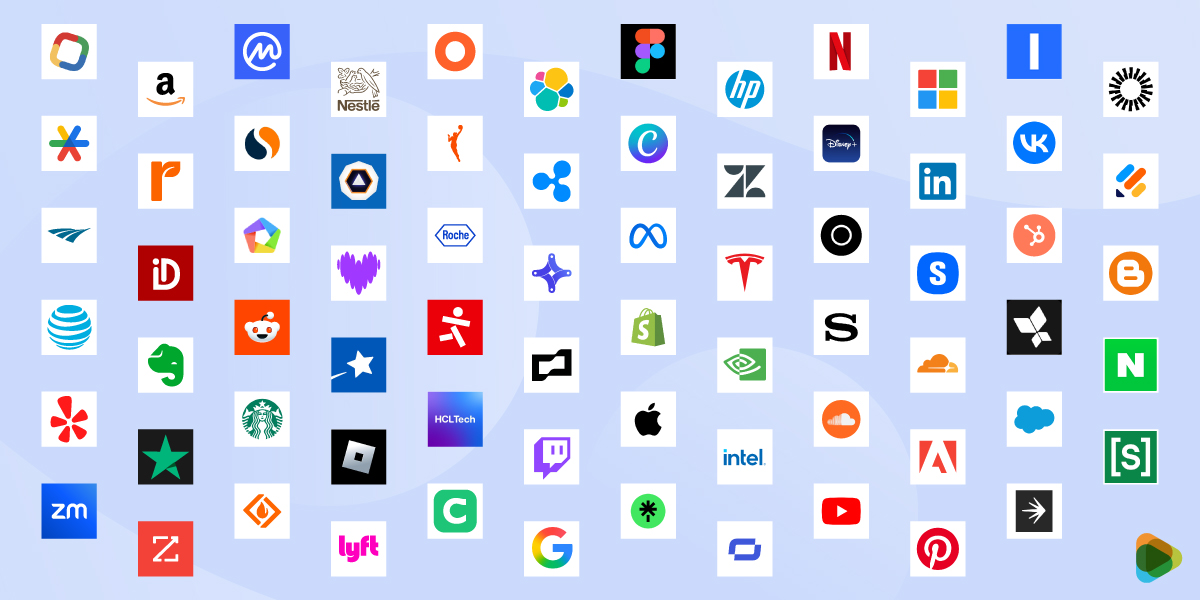
A favicon appears in browser tabs, bookmarks, mobile interfaces, and even search results. It helps you stay consistent with branding across digital platforms. In this guide, explore how to design an effective one.
A clear, well-designed favicon can increase credibility and professionalism quickly. It promotes your brand identity at every micro-interaction, helping your business remain recognizable even when your full website isn’t visible. Favicons also improve usability by helping users navigate efficiently. When multiple tabs are open, people rely more on icons than text to find what they need. A distinctive favicon improves the user experience and makes it easier for visitors to return to the website later. Businesses that treat favicons as extensions of their brand logo systems create more memorable digital experiences.
What is a favicon?
A favicon (favorite icon) is a small, square graphic that represents a website across various digital touchpoints. It serves as a key visual identifier, helping users quickly recognize and differentiate a site when multiple tabs, bookmarks, or apps are open. The icon is taken from a brand’s logo, symbol, or initial, simplified to work effectively at very small dimensions.
It requires intentional simplification and optimization to remain clear and recognizable at all sizes. This means focusing on a single element of the brand, like an icon, letter, or shape.
Key Characteristics of a Favicon
Small and square format — Typically designed in square dimensions ranging from 16×16 to 512×512 pixels
Highly simplified design — Focuses on essential shapes and avoids fine details
Brand-derived visual — Usually based on a logo mark, symbol, or initial
Multi-platform usage — Appears across browsers, devices, and operating systems
Scalable across sizes — Designed to remain clear and recognizable at different resolutions
• Small Format
Favicons are created in square dimensions, ranging from 16×16 to 512×512 pixels. This compact, uniform shape allows them to fit in browser tabs, bookmarks, and device shortcuts.
• Simplified Design
They rely on simplicity to be effective. Designers focus on essential shapes, bold lines, and minimal elements, avoiding elaborate details that could be confusing or overwhelming.
• On-Brand Visual
Favicons are a part of your brand’s logo, which makes it easier for users to spot your website among browser tabs, bookmarks, and app shortcuts.
• Multi-Platform Placement
A favicon must work seamlessly across multiple environments, including different web browsers, operating systems, and devices. The icon should remain consistent and recognizable where it’s viewed.
• Scalability
Designers create multiple versions or use vector formats to ensure the icon retains its integrity. It is scalable across platforms and devices.
Why Favicons Matter in Branding
Allows users to navigate to the website in seconds
Easier to find and return to your site
Reinforces your visual identity
Signals attention to detail and trustworthiness
Extension of your brand identity
Reduces friction when browsing
Quick recall of logo or icon
A well-designed favicon helps ensure your brand remains visible and identifiable even at the smallest size, strengthening consistency across the entire digital experience.
• Instant recognition
Helps users quickly identify your website among multiple open tabs, especially when page titles become shorter or hard to read.
• Improved user navigation
Makes it easier for users to locate, switch back to, and revisit your site without confusion during browsing sessions.
• Stronger brand recall
Focus your visual identity through repeated exposure to help users remember your brand over time.
• Professional credibility
Showcases that your website is trustworthy, which can influence first impressions and user confidence.
• Consistent brand presence
Extends your branding into micro touchpoints across browsers, bookmarks, and mobile interfaces, maintaining visual consistency.
• Better user experience
Reduces friction by providing a clear visual cue, allowing users to navigate quickly and efficiently between multiple tabs.
• Supports memorability
Simple, well-designed icons are easier to remember than text, helping your brand stand out in crowded digital environments.
Where Favicons Appear (Use Cases)
They mostly appear in places where space is limited, but recognition is critical. Understanding this can help you create a favicon that remains clear, recognizable, and effective everywhere.
1. Browser Tabs
Favicons are most commonly seen in browser tabs, displayed next to the page title. When users have multiple tabs open, titles become shorter. And the website can only be known by the icon.
2. Bookmark Bars and Saved Links
When users bookmark a website, the favicon appears alongside the saved page name. Users rely more on these icons than the text labels, especially when bookmarks are shortened or organized in folders.
3. Browser History
They also appear in browsing history lists, helping users visually scan and identify previously visited websites.
4. Mobile Browsers and Home Screen Icons
On mobile devices, favicons are used in browser tabs and can also appear when users add a website to their home screen.
5. Search Results and Platform Interfaces
Some browsers and platforms display favicons next to search results or links. This helps in increasing brand visibility and can influence which links users choose to click.
6. Progressive Web Apps (PWAs)
For Progressive Web Apps, favicons serve as app icons when installed on a device. For these, the favicon is like the main branding element, representing the entire application experience.
A strong favicon maintains clarity, recognizability, and brand consistency regardless of where it is displayed.
Core Principles of Effective Favicon Design
Simplicity
Recognizability
Brand Consistency
Scalability
Contrast and Visibility
Designing a favicon requires a different approach than designing a full logo. Because it is small and has a wide range of applications, the design needs to be clear and simple.
• Simplicity
A favicon must be simple enough to remain clear at very small sizes. Complex details, fine lines, and illustrations lose their appearance when scaled down.
Focus on essential shapes: Retain only the most recognizable part of your logo or symbol.
Eliminate unnecessary details: Remove text, gradients, and small design elements that won’t scale well.
Prioritize clarity over decoration: A clean, minimal design is more effective than a detailed one in small formats.
• Recognizability
Even at 16×16 pixels, a favicon should be instantly identifiable. Strong shapes and distinctive forms make it easier for users to recognize your brand quickly.
Use bold, clear silhouettes: Simple outlines help the icon stand out in crowded browser tabs.
Avoid visual ambiguity: Make sure the icon does not resemble generic or commonly used symbols.
Maintain a unique identity: The favicon should feel distinctly tied to your brand.
• Brand Consistency
A favicon should act as an extension of your overall brand identity. It must work visually with your logo, color palette, and design system.
Use brand colors strategically: Maintain consistency with your primary color scheme.
Reflect your logo system: Adapt a recognizable element from your main logo rather than creating something unrelated.
Maintain visual cohesion: The favicon should feel like part of the same brand ecosystem across all platforms.
• Scalability
Favicons are used in multiple sizes across different devices and platforms, so they must remain effective at every scale.
Design for multiple resolutions: Keep their clarity from 16×16 up to larger sizes like 512×512.
Create simplified variations if needed: Some designs require alternate versions for smaller sizes.
Test across real environments: preview the favicon in browsers, on mobile screens, and in bookmarks.
• Contrast and Visibility
Favicons appear in various environments, including light and dark browser themes. Strong contrast ensures visibility in all conditions.
Use high-contrast color combinations: This improves readability against different backgrounds.
Avoid low-contrast palettes: Subtle color differences may disappear at smaller sizes.
Allow visibility in both dark and light modes: Test the icon in both environments to maintain clarity.
Types of Favicons
Logo-Based Favicons: Full logo (simplified if needed)
Icon or Symbol Favicons: Abstract marks or brand symbols
Initial-Based Favicons: Single letter or monogram
Minimalist Favicons: Simplified geometric or flat designs
Adaptive Favicons: Variants for light/dark mode or devices
Favicons can take different forms depending on the brand’s identity, logo structure, and level of complexity. Choosing the right type allows both usability and strong brand representation.
1. Logo-Based Favicons
Logo-based favicons use a simplified version of the full logo or a key element from it. This works best when the logo is already minimal and scalable.
Uses a simplified logo mark
Focuses on the most recognizable part of the existing logo.
Maintains strong brand consistency
Keeps visual alignment with the primary brand identity.
Works best with simple logos
Highly detailed or illustrative logos may require simplification to remain clear.
VICE uses a simplified wordmark favicon featuring its distinctive blackletter-style “VICE” text, reduced to fit small browser sizes while retaining brand recognition.
Sonos uses a minimal version of its wordmark, keeping the clean, geometric typography that reflects its premium-audio brand identity.
2. Icon or Symbol Favicons
These favicons use a standalone symbol or icon associated with the brand. This is one of the most effective approaches for clarity and recognition.
Focuses on a single visual element
Removes text and emphasizes a clear, bold symbol.
Highly scalable and recognizable
Works well across all sizes and devices.
Ideal for modern and tech brands
Especially useful for brands with strong icon-based identities.
Gymshark uses its iconic shark-head symbol as a standalone favicon, making it instantly recognizable even without text.
BetterHelp uses a simple heart-and-chat-style icon that clearly represents support and conversation in a compact visual form.
3. Initial-Based Favicons
Initial-based favicons use a single letter or monogram, typically derived from the brand name. This is a practical solution when no strong symbol exists.
Uses a single character or initials
Keeps the design clean and readable at small sizes.
Relies on typography
Font choice plays a major role in recognition.
Effective for text-heavy brands
Works well when the brand name is already well-known.
Revolut uses a bold “R” monogram favicon, designed in a clean, modern style that remains legible at very small sizes.
Getaround uses a simplified initial-based favicon derived from its brand name, focusing on clarity and quick recognition.
4. Minimalist Favicons
Minimalist favicons reduce the design to its most basic visual form, using simple shapes, lines, or geometric elements.
Reduce design down to essentials
Focuses on clarity and simplicity for better viewing experience.
Highly effective at small sizes
Minimal elements remain sharp and visible.
Modern and clean aesthetic
Commonly used by contemporary digital brands.
Rothy’s uses a minimal geometric mark that reflects its clean, sustainable design aesthetic with a very simple visual structure.
TaskRabbit uses a simplified abstract bunny icon, reduced to basic shapes to ensure clarity and scalability.
5. Adaptive Favicons
Adaptive favicons are designed to change based on context, such as light and dark modes or different devices.
Optimized for multiple environments
Helps make sure that there is visibility on colored and neutral backgrounds.
Includes alternate versions
May use different colors or styles depending on usage.
Improves user experience
Maintains clarity and consistency across platforms.
Skullcandy uses a skull icon favicon that often adapts in contrast and color to remain visible across different themes and backgrounds.
Shipt uses a flexible logo mark that adjusts its color treatment to maintain visibility in both light and dark interface environments.
Step-by-Step Process: How to Design a Favicon?
Designing a favicon is a focused process that requires simplifying your brand into its most essential visual form. Each step should prioritize clarity, recognizability, and adaptability across platforms. You can opt for a logo design contest or a 1-on-1 with a professional to design your favicon.
Step 1: Start with Your Favicon Design Contest
Begin by navigating to the logo design contest since your favicon is directly derived from your core brand identity.
Log in or register your account and set your prize money
Work on the creative brief
Step 2: Choose the Right Brand Element
Start by selecting the most recognizable part of your brand. This could be a logo mark, symbol, or initial that represents your identity clearly at small sizes.
Choose a strong, simple visual element that’s instantly recognizable
Avoid complex designs that don’t scale well
Ensure the symbol clearly reflects your brand identity
Step 3: Simplify the Design
Once you’ve chosen the element, simplify it as much as possible. Favicons require minimal detail to remain effective.
Remove fine details like thin lines and gradients
Use bold, simple shapes for better small-size visibility
Keep the design clean and uncluttered
Step 4: Optimize for Small Sizes
Designing for small sizes is critical. The favicon must remain clear even at 16×16 pixels.
Test the design early at 16×16 and 32×32 pixels
Ensure shapes remain clear and recognizable
Adjust proportions if needed for better visibility
Step 5: Add Color for Visual Impact
Color helps improve recognition and contrast, but it must be used carefully.
Use high-contrast colors for clear visibility on all backgrounds
Limit the palette to keep the design sharp and simple
Stick to brand colors for consistency
Step 6: Export in Correct Formats
The final step is preparing the favicon for implementation across browsers and devices.
Export in ICO, PNG, and SVG formats where needed
Use transparent backgrounds for flexibility
Optimize files for fast loading and web use
Favicon Size and Technical Requirements
Designing a favicon is more than just creating a small version of your logo. It’s important to follow specific size, format, and technical guidelines.
Standard Sizes
Favicons appear in various contexts, so creating multiple sizes is essential.
The most common sizes include:
16×16 pixels – Used in browser tabs, this is the smallest and most widely recognized size. Clarity is key here; even minor details can be lost.
32×32 pixels – Commonly used for taskbars, bookmarks, and certain desktop applications. This slightly larger size allows for more detail but still requires simplicity.
48×48 pixels – Typically used for Windows desktop shortcuts. This size allows for a bit more design complexity while still remaining compact.
180×180 pixels – Required for Apple touch icons on iPhones and iPads. This ensures the favicon looks sharp on Retina displays and mobile devices.
512×512 pixels – Used for Progressive Web Apps (PWAs) and Android devices. Larger sizes like this allow for scaling and high-resolution displays without losing quality.
File Formats
Choosing the right file format is crucial for compatibility and scalability:
ICO – The traditional format for favicons, supporting multiple sizes in one file. It’s compatible with nearly all browsers, making it essential for legacy support.
PNG – Offers high-quality images with better color depth and transparency. It’s widely supported and ideal for modern browsers.
SVG – A vector-based format that scales without losing quality, perfect for high-resolution screens and responsive designs. It’s increasingly supported by modern browsers and allows for a crisp appearance at any size.
Using the correct format guarantees your favicon displays properly across devices.
Technical Best Practices
Even a perfectly designed favicon can fail if it’s not implemented correctly. Keep these best practices in mind:
Transparent background – Use transparency when appropriate so the favicon integrates seamlessly with browser tabs or app icons.
Proper file naming – Name your file favicon.ico to keep maximum compatibility with browsers that automatically look for this filename
HTML link integration – Include the favicon in your site’s main or head section using proper HTML tags.
Case Studies
How Paramount First Title’s Icon Improved Brand Recall
Problem: The full logo with text became unreadable in small favicon sizes
Process: Worked with a designer 1-on-1 to extract the brand’s icon mark and simplify it into a bold, high-contrast shape
Outcome: Improved tab visibility and stronger brand recognition across browser sessions.
North Carolina Marine: A Seamless Look for Digital Platforms
Problem: The existing favicon didn’t align with the new brand identity after a redesign.
Process: Launched a contest to redesign the favicon using the new logo symbol and consistent color palette.
Outcome: Created a cohesive brand experience across the website and product interface.
Qitah Won over Competitors with a Scalable Logo
Problem: The designer used a detailed logo that lost clarity at 16×16 pixels.
Process: Ran a contest and received multiple submissions with the logo converted into a minimal monogram.
Outcome: Achieved a clean, professional look that remained recognizable at all sizes.
Onpoint Construction: Sharper Visibility in Tiny Browser Tabs
Problem: The favicon blended into browser tabs due to low contrast and muted colors.
Process: Introduced a brighter color scheme in a contest on ZillionDesigns as part of the brand kit.
Outcome: Increased visibility and click recognition among multiple open tabs.
LendMatch Got a Favicon to Build a Distinct Brand Identity
Problem: The favicon didn’t scale properly for mobile home screens and PWA icons.
Process: Launched a contest and received multiple optimized sizes, including a 512×512 version with refined spacing.
Outcome: Delivered a consistent, high-quality appearance across mobile devices and app installs.
By focusing on simplicity, clarity, and scalability, you can create a favicon that strengthens brand recognition and enhances user experience across all platforms. When done right, it becomes a subtle yet powerful part of your overall visual identity.
FAQs
What size should a favicon be?
The most common sizes include 16×16 pixels for browser tabs, 32×32 for bookmarks and taskbars, and 48×48 for desktop shortcuts. For mobile and modern use cases, larger sizes such as 180×180 pixels (Apple Touch Icons) and 512×512 pixels (Progressive Web Apps and Android devices) are also essential.
Can I convert my logo to a favicon?
Yes, when you launch a contest, designers can create favicon concepts based on your existing logo. They simplify and adapt your logo into a clear, scalable icon, focusing on a symbol or initial, so it remains recognizable even at very small sizes. Full logos with text, elaborate details, or multiple elements can become unclear when scaled down to small sizes, such as 16×16 pixels. It’s best to avoid using them as favicons.
What file formats are included as deliverables?
Designers will provide favicons in multiple formats, including ICO, PNG, and sometimes SVG. This enables compatibility across all browsers and modern devices, while also giving you flexibility for different use cases, such as websites, apps, and bookmarks.
How does a favicon design contest work?
You start on the logo design page, where you can launch your favicon contest. Submit a design brief with your brand details and requirements. Multiple designers then send in different favicon concepts. You can review entries, give feedback, and request revisions. Once you select a winning design, you receive final files along with full ownership rights.
How do I add a favicon to my website?
You need to upload the favicon files to your site’s directory or assets folder and then reference them in the HTML ‘head’ section using ‘link’ tags for different sizes and formats. If you’re unsure about the technical setup or want a professionally designed favicon, working with experts like ZillionDesigns can simplify the process. They can help create optimized favicon files and work on proper implementation, so your icon looks sharp and consistent everywhere.
The post The Complete Guide to Favicon Design: Best Practices, Tips, and Cross-Browser Compatibility appeared first on ZD Blog.