Here’s what happens when you join a Zoom call right now: you click the link, wait for the app to launch, find the mute button, realize your camera is on when you’re still in pajamas, hunt for that toggle, then minimize the window to keep working. Six actions, multiple windows, all muscle memory you’ve built up because this is just how it works. We’ve accepted the friction.
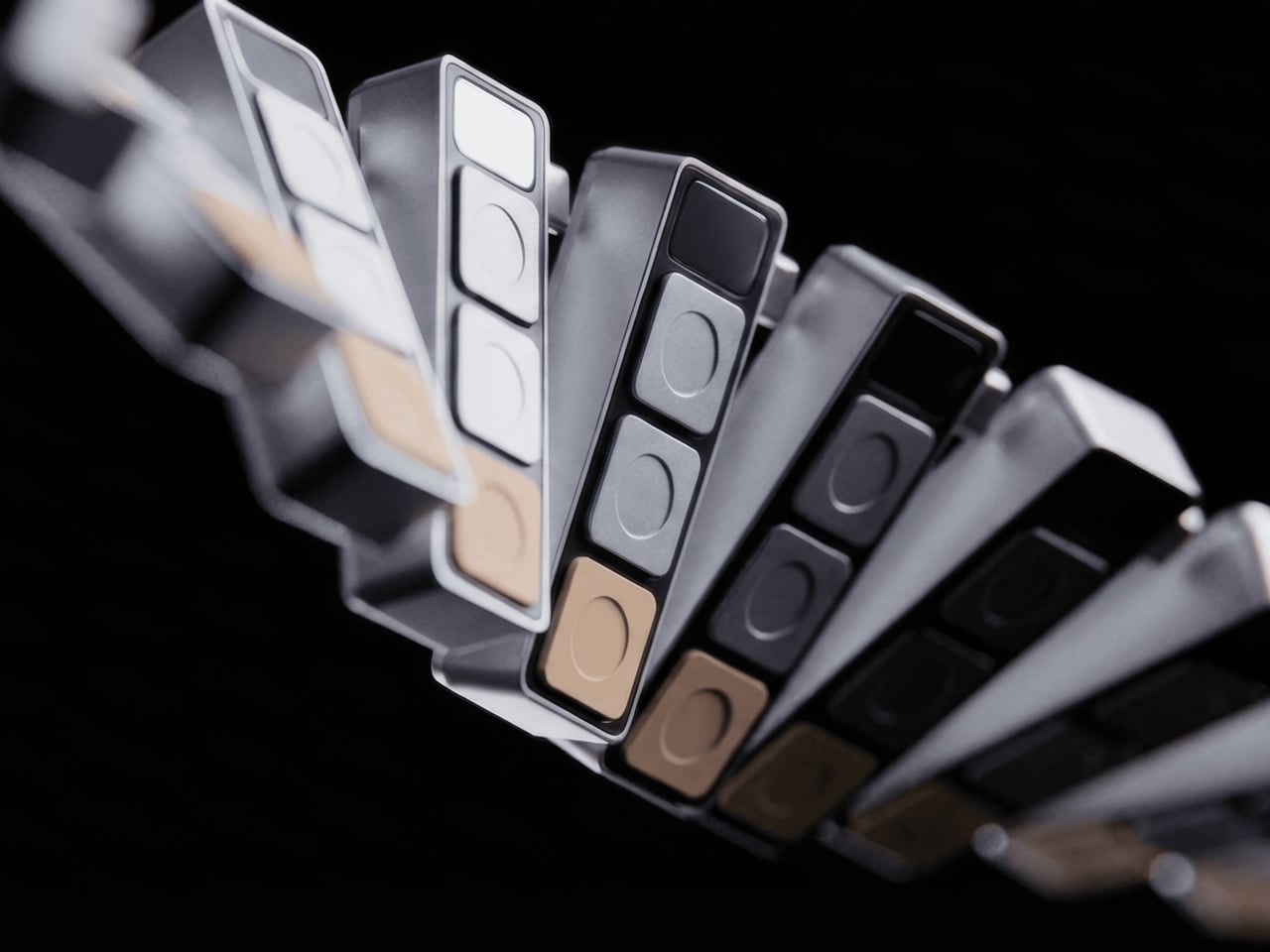
Project Mirage looked at that friction and built Dune. Three physical keys that sync with your calendar, know when your next meeting is, and give you one-button join, instant mic control, camera toggle that brings the window forward when you need it. Then you switch to your code editor and those same three buttons become the shortcuts you actually use in that tool. Open your browser, they adapt to the tab. The hardware reads context, talks to AI, morphs based on what you’re doing. It’s 50 grams of machined aluminum that finally acts like it knows what year it is.
Designer: Project Mirage
The core idea is simple but meaningful. Dune monitors your Mac, detects which application is in the foreground, and automatically reconfigures what its three keys do. In GitHub, they handle pull requests and code reviews. In VS Code or Claude, they surface the commands you reach for constantly. The device integrates with Openclaw to trigger AI agents you’ve already built, so that email sorting routine you automated can fire with a physical button press instead of hunting through menus. In Photoshop, you can map them to copy/duplicate layers, increase or decrease brush sizes, or flatten/export images. The best part, however, is using the Dune on your browser, where the hardware detects which tab you’re on, changing controls/maps based on whether you’re on a Gmail tab, a Google Meet tab, an Instagram tab, or even scrolling through your inspiration on Pinterest. The on-screen display shows you what each key does at any moment, removing the need to memorize complex shortcuts or maintain mental maps of what Button 2 does in seventeen different apps.
What separates Dune from traditional macro pads is that layer of intelligence. Stream Decks and programmable keypads give you power, but they demand upfront investment. You configure profiles for every app, remember which layer you’re on, maintain the whole system yourself. Dune comes preconfigured with workflows for common tools and adapts automatically. You can still write custom scripts, assign URLs, build your own automations (I built mine using AI and they work like a charm). The difference is the device does the heavy lifting of context switching for you.
The hardware itself is straightforward. CNC-machined anodized aluminum body, USB-C connection that powers the device directly without needing a battery, 40mm × 10mm × 10mm dimensions that sit comfortably next to your keyboard without dominating desk space. It’s macOS only for now, which makes sense given the tight system integration required to read active applications and browser tabs in real time. The packaging ships each unit embedded in actual river sand, a physical callback to the name and the metaphor of something that shifts and adapts constantly.
Dune is available for pre-order now at $119, with the price moving to $149 after launch. Ships in May 2026 from the Project Mirage website, where you can also find setup guides and documentation on building custom automations.
The post Three Buttons, Infinite Functions: Inside the Agentic AI Keypad That Adapts To Your Workflow first appeared on Yanko Design.